Modern financial management requires far more than recording figures: it demands strategic planning and tools that enable scenario simulation, results comparison, and decision-making based on reliable data. In Dynamics 365 Business Central, financial budgets become a key instrument for financial and budgetary leadership.
Dimensions in Budgets
One of Business Central’s major differentiators is the ability to work with multiple dimensions in budgets.
Each budget can include dimensions such as department, project, customer, product, or region.
This allows analysis not only of overall results but also of the impact by business area.
Financial leadership thus gains a granular view that facilitates resource allocation and cost control.

Budget Scenarios
Business Central enables the creation of parallel budget scenarios:
Base scenario: the official approved budget.
Alternative scenario: simulations with different assumptions (e.g., 10% sales growth or 5% cost reduction).
Contingency scenario: projections for adverse situations, such as revenue decline or increased expenses.
This functionality is essential for financial risk management, as it allows comparison of scenarios and anticipates decisions.
Copying Budgets
To optimise efficiency, Business Central offers the option to copy existing budgets:
A budget can be duplicated and only the necessary variables modified.
This saves time and ensures consistency in structure.
Ideal for preparing annual budgets based on the previous year’s history.
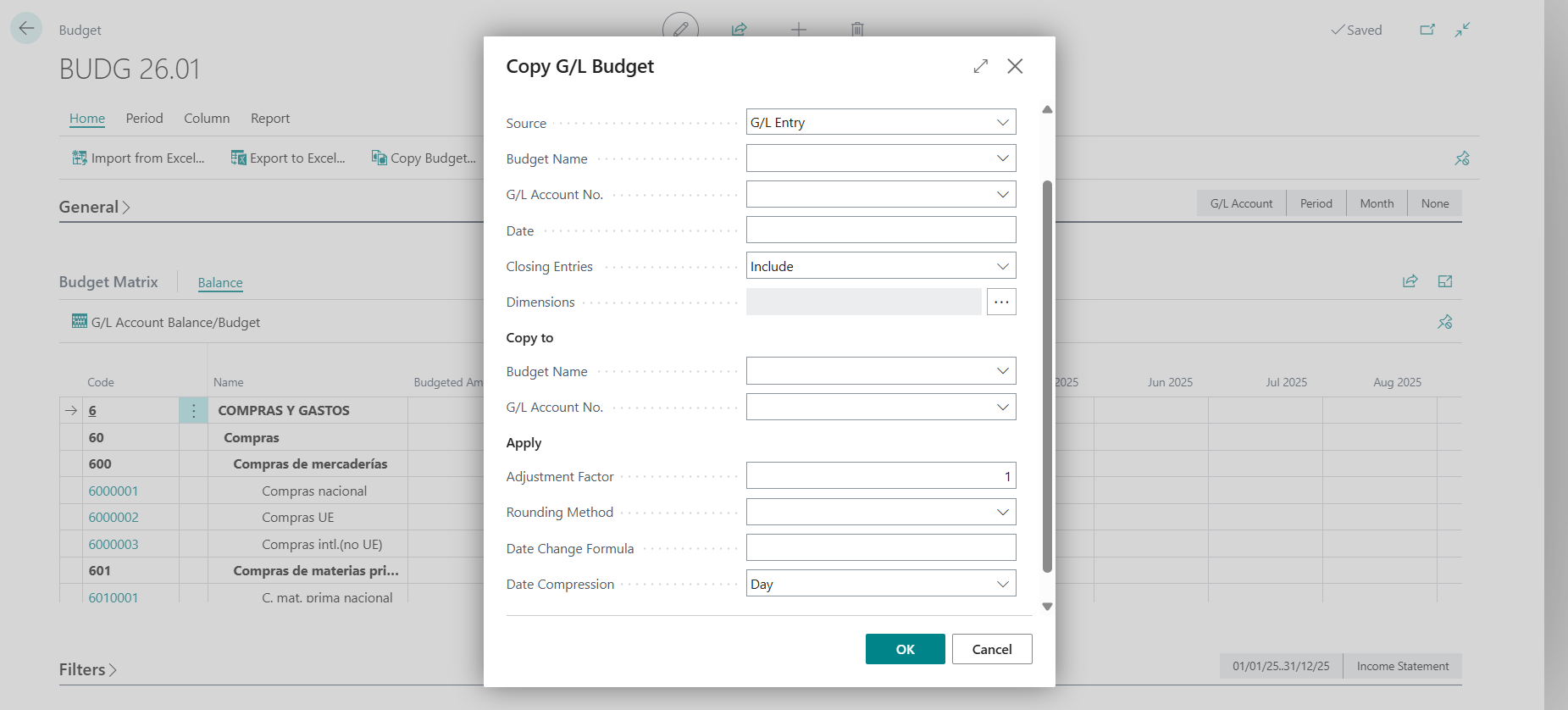
Using the Factor in Budgets
The factor option allows automatic adjustments:
Multiply or divide values by a percentage or coefficient.
Example: increase all income lines by 8% to simulate growth.
Reduce costs by 3% to project operational efficiency.
This feature makes the budget a dynamic tool, capable of adapting quickly to new assumptions.
Best Practice in Financial Leadership
For budgets to be truly effective:
Define relevant dimensions aligned with the company’s strategy.
Maintain updated scenarios and review them periodically.
Use the copy and factor functions to streamline simulations without losing accuracy.
Integrate budgets with financial reports and Power BI, ensuring traceability and visual analysis.
To conclude:
Financial budgets in Business Central are not merely an administrative requirement: they are a strategic tool for financial leadership.
With dimensions, scenarios, copy, and factor, organisations can transform planning into an agile, transparent, and decision-oriented process.


