web
You’re offline. This is a read only version of the page.
close
Skip to main content

Announcements

No record found.

News and Announcements icon
Community site session details

Community site session details

Session Id :
Small and medium business | Business Central, N...
Suggested Answer

Warning

(4) ShareShare
ReportReport
Posted on by 6

Title:
Microsoft Dynamics NAV – “The date is not valid” error when posting General Journal

Question:
I am encountering an issue in Microsoft Dynamics NAV when trying to post a General Journal.

Initially, when the budget was locked, the system showed the warning:

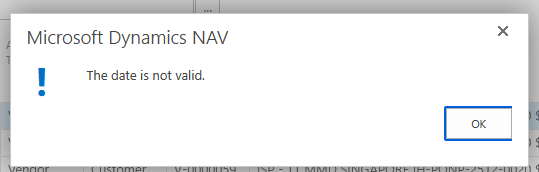
"The date is not valid."

After unlocking the budget, another error appeared related to dimensions:

"Select a Dimension Value Code for the Dimension Code PROJECT for G/L Account 65100001."

I resolved the dimension issue by filling in the required PROJECT dimension. However, when I try to post the journal, the system still shows:

"The date is not valid."

Details of the journal entry:

  • Journal Template: GENERAL

  • Journal Batch: MDF

  • Posting Date: 30/03/2026

  • G/L Account: 65100001

Things I have already checked:

  • The Posting Date is filled.

  • The date format is correct according to the system.

  • The required dimension (PROJECT) has been filled.

  • The budget has been unlocked.

However, the posting still fails with the same error.

Has anyone experienced this issue before? Could this be related to:

  • Allow Posting From / To settings

  • User Setup posting date restrictions

  • Accounting Period configuration

  • Budget control settings

Any guidance would be greatly appreciated.
I have the same question (0)
  • Suggested answer
    Aziz Skhiri Profile Picture
    366 on at

    Hey,

    “The date is not valid” error in NAV General Journal usually comes from posting date restrictions, even after unlocking the budget and fixing dimensions. Check these quickly:


    • User Setup → your user → “Allow Posting From” and “Allow Posting To” (30/03/2026 must be inside the range).

    • General Ledger Setup → “Allow Posting From/To”.

    • Accounting Periods → make sure March 2026 period is open.      Try changing the posting date to today as a test. If it works, the problem is definitely date-related.


    •  
  • Suggested answer
    OussamaSabbouh Profile Picture
    12,965 Super User 2026 Season 1 on at
    Hello,
    Most likely this is not Accounting Periods; in NAV those usually don’t block posting. The more likely cause is that 30/03/2026 is outside the allowed posting range in either User Setup or General Ledger Setup, or there is a budget-control/custom validation still throwing the generic “The date is not valid” message even after you fixed the PROJECT dimension. So I’d focus on Allow Posting From/To first, then any custom budget/date validation tied to that account/dimension combo.
     
    Regards,
    Oussama Sabbouh

Under review

Thank you for your reply! To ensure a great experience for everyone, your content is awaiting approval by our Community Managers. Please check back later.

Helpful resources

Quick Links

Introducing the 2026 Season 1 community Super Users

Congratulations to our 2026 Super Stars!

Meet the Microsoft Dynamics 365 Contact Center Champions

We are thrilled to have these Champions in our Community!

Congratulations to the March Top 10 Community Leaders

These are the community rock stars!

Leaderboard > Small and medium business | Business Central, NAV, RMS

#1
OussamaSabbouh Profile Picture

OussamaSabbouh 1,993 Super User 2026 Season 1

#2
YUN ZHU Profile Picture

YUN ZHU 1,116 Super User 2026 Season 1

#3
Khushbu Rajvi. Profile Picture

Khushbu Rajvi. 557 Super User 2026 Season 1

Last 30 days Overall leaderboard

Featured topics

Product updates

Dynamics 365 release plans
